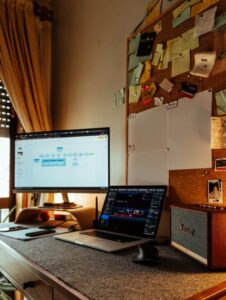

Creating a well-organized home office can significantly improve your productivity and make working from home more enjoyable. A cluttered and disorganized workspace can lead to distractions, stress, and wasted time. Fortunately, with some simple steps, you can transform your home office into a space that inspires focus and efficiency. In this post, we’ll explore practical tips to help you organize your home office and boost your productivity.
1. Choose the Right Location
Find a Quiet Spot
Select a location in your home where distractions are minimal. Ideally, it should be quiet and away from heavy foot traffic. This helps you focus better and maintain a work mindset.
Maximize Natural Light
If possible, set up your desk near a window. Natural light not only boosts your mood but also reduces eye strain. If natural light is limited, invest in good quality task lighting.
2. Declutter Your Workspace
Clear the Surface
Start by removing everything from your desk. Only put back items you use daily, like your computer, phone, a notebook, and essential stationery. A clear desk reduces visual distractions.
Organize Supplies
Keep office supplies—pens, paper clips, sticky notes—in containers or drawer organizers. This way, you know exactly where to find and store small items, keeping your surface tidy.
3. Invest in Functional Storage
Use Vertical Space
Shelves and wall-mounted organizers are great for utilizing vertical space. This helps free up desk space and keeps important documents or books within reach.
Filing Systems
Create a filing system for important paperwork. Label folders clearly and keep them in a drawer or filing cabinet. This prevents piles of paper from cluttering your workspace.
4. Manage Cables and Electronics
Use Cable Organizers
Messy cables can be distracting. Use cable clips, sleeves, or ties to bundle cables together and keep them out of sight. This also helps prevent accidents and damage.
Dedicated Charging Station
Set up a charging station for your devices to avoid scattered cords and lost chargers. This keeps everything neat and ensures your gadgets are ready to go.
5. Personalize Your Space Thoughtfully
Add Inspiring Elements
Incorporate a few personal touches like plants, artwork, or photos. These can boost your mood and make the space inviting without cluttering it.
Keep It Simple
Avoid overcrowding your workspace with too many decorations. The goal is to create a calm and inspiring environment, not a distraction.
6. Create a Routine for Tidying Up
End-of-Day Reset
Spend 5 to 10 minutes at the end of your workday tidying your desk. Put away papers, organize supplies, and clear any clutter. This makes starting fresh the next day easier.
Regular Deep Cleaning
Schedule a weekly or monthly deep cleaning session where you go through files, shred unnecessary papers, and wipe down surfaces.
7. Optimize Your Desk Layout
Ergonomic Setup
Arrange your monitor at eye level and position your chair so your feet rest flat on the floor. Maintaining good posture helps you stay comfortable and focused.
Keep Essentials Within Reach
Place frequently used items like your phone, notebook, or planner nearby, so you don’t waste time reaching across your desk.
8. Use Digital Tools to Reduce Paper Clutter
Go Paperless
Whenever possible, scan important documents and use digital storage services like cloud drives. This reduces physical clutter and allows easy retrieval of files.
Apps for Organization
Utilize apps for to-do lists, calendar management, and note-taking. Digital reminders can keep you on track without piles of sticky notes.
Conclusion
Organizing your home office doesn’t have to be complicated. By choosing the right location, decluttering regularly, investing in smart storage solutions, and maintaining a clean space, you set yourself up for greater productivity and a more enjoyable work experience. Remember, a well-organized workspace is a key to staying focused and motivated throughout your workday. Start with small changes, and over time you’ll notice a big difference in how you work from home.